
Submit SASSA Appeal Online For Declined SRD Grants 2026
If your SASSA SRD R370 grant was declined and you believe the decision was wrong, you have the right to ask for it to be looked at again. This is called an appeal.
A special review panel looks at your case not SASSA itself so you get a fresh, independent decision.
Need Immediate Help?
Available Monday to Friday, 8:00 AM – 4:00 PM
Understanding Your Appeal
Your appeal has been approved and your grant will be reinstated or corrected.
Your appeal is being processed by the Independent Tribunal.
Your appeal was not successful.
Additional documentation may be required for your appeal.
Appeals are reviewed by the Independent Tribunal for Social Assistance Appeals and can take up to 90 days to be finalised.
Lodge or Check Your Appeal →Referred
Referred” is not a decline and you should not appeal it. It means SASSA has sent your application for extra identity or fraud verification before it can continue. Most referred applications are approved once that check clears.
What to do if your status is Referred:
Does a “Review” Status Delay Your Payment Date?
If your application is flagged for review whether for identity, banking, or income checks it doesn’t just delay your decision, it can also push your payment to a later date in the month. Applications under review are typically processed on SASSA’s fourth payment day, after all cleared applications have already been paid.
This isn’t a decline, and no action is needed beyond completing whatever verification SASSA has requested. Once the review clears, your payment follows on the next available payment run.
What Is a SASSA SRD Appeal?
A SASSA SRD appeal is a formal request asking for your rejected grant application to be checked again this time by a real person, not the automatic system that made the first decision.
The appeal isn’t reviewed by SASSA again. It goes to an independent review panel that works under the Department of Social Development but is separate from SASSA. That separation matters: the person reviewing your case had no part in the original decision, so they look at everything you send fresh, without any bias toward the first outcome.
This matters more than people realize. Over 13 million South Africans currently depend on social grants, and the SRD grant is checked again automatically every single month using bank and identity records. Those checks are wide-reaching, so honest applicants get caught by mistake regularly a once-off deposit, an outdated record with Home Affairs, or a mismatch in your details can all cause a wrong decline.
Who Can Submit an SASSA Appeal?
You can SASSA appeal if:
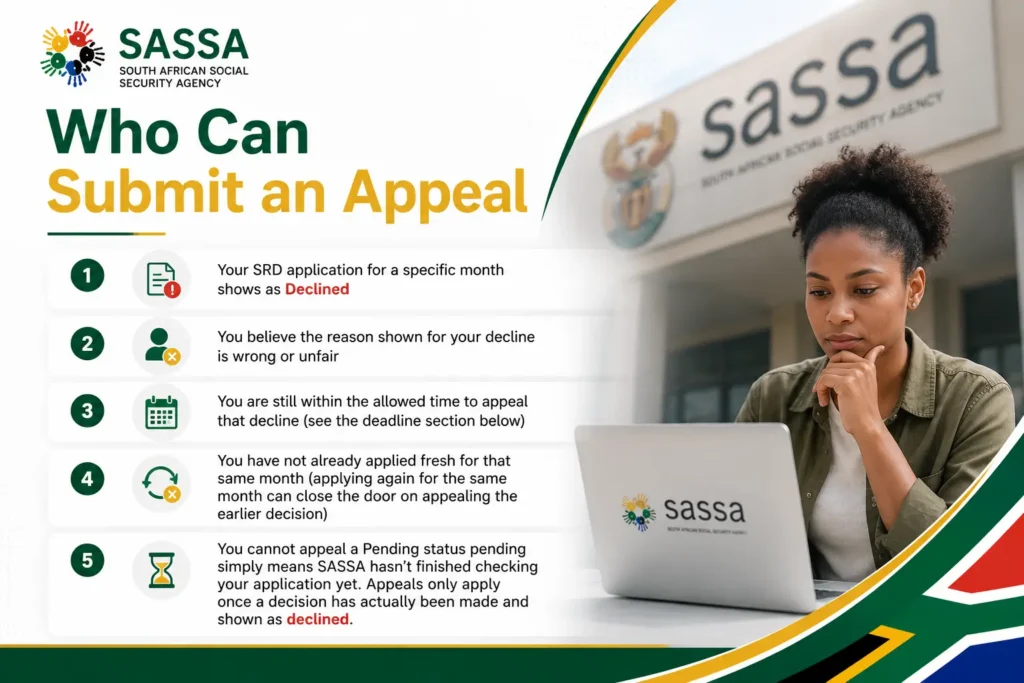
You cannot appeal a Pending status pending simply means SASSA hasn’t finished checking your application yet. Appeals only apply once a decision has actually been made and shown as declined. If you still need to submit a new application, you can Apply online by following our step-by-step guide before checking your eligibility or appeal options.
SASSA Reconsideration vs Appeal What’s the Difference?
Before you go to the Independent Tribunal, SASSA gives you a faster first option: a Reconsideration. Most people don’t know this step exists, and skipping straight to an appeal can mean waiting longer than necessary.
Reconsideration is an internal review you’re asking SASSA itself to look at your application again, without involving the Tribunal. It’s faster, and SASSA recommends trying this first. Appeal is the next step you only escalate to the Independent Tribunal for Social Assistance Appeals (ITSAA) if your reconsideration is also declined. ITSAA is fully separate from SASSA, so this is the stage where you get a genuinely independent decision.
Both have a 90-day deadline from the date of decline. If you’re not sure which one applies to your case, always start with a reconsideration you can still appeal afterward if it’s declined again.
How to Request a SASSA Reconsideration
Difference Between SASSA Appeal Online vs Reapplication
This is the part that confuses people most, and getting it wrong can waste weeks.
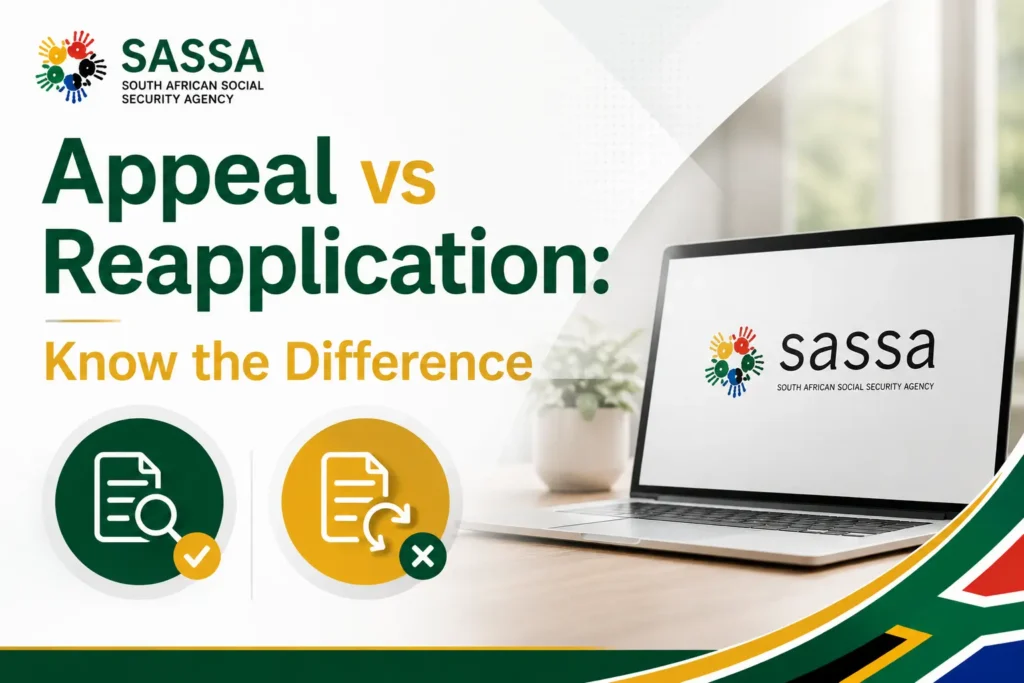
Appeal when you believe the original decision was factually wrong for example, SASSA flagged money you never received, or a bank deposit that wasn’t actually income.
Apply fresh instead when your personal or financial situation has genuinely changed since the decline for example, you lost the job that caused the income flag in the first place.
An appeal challenges a past decision. Applying fresh starts a new check for the current month. The system checks your Eligibility again automatically every month regardless, so appealing an old month and applying for the current month are not in conflict you can do both at the same time.
Who Is Eligible for the SRD Grant?
Before checking why your application was declined, it helps to confirm you actually meet the basic requirements:
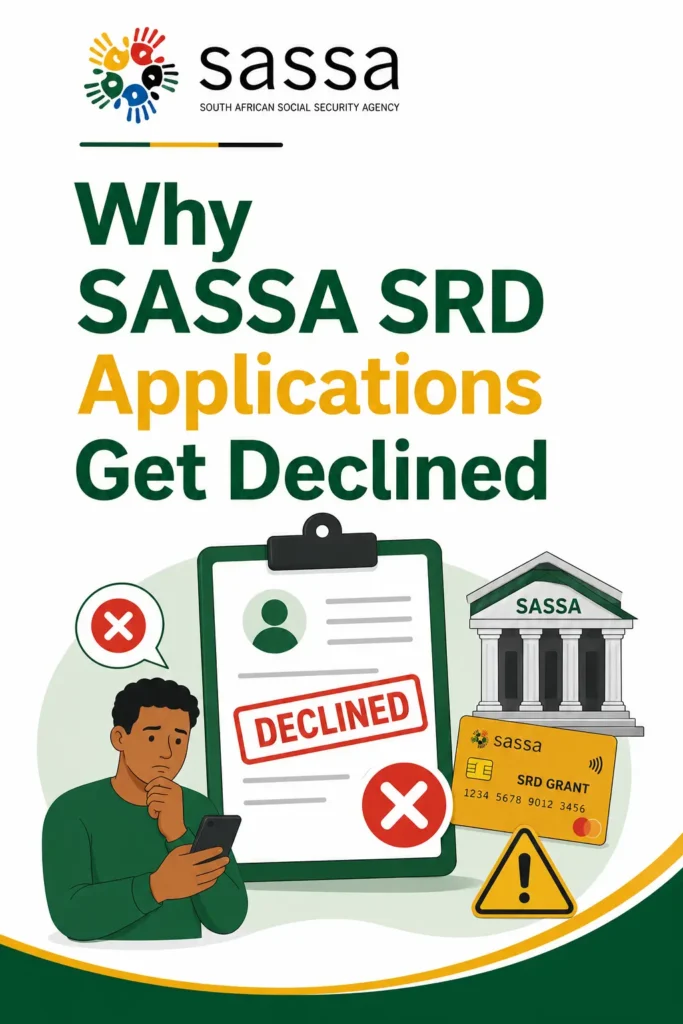
Why SASSA SRD Applications Get Declined
SASSA checks your details against several government and bank records every month. Knowing exactly which check caused your decline is the first step to writing a strong SASSA appeal.
Income above the allowed amount
SASSA’s bank check found money coming into your account above the allowed limit for that month.
Registered for UIF or a student funding scheme
Registered for UIF or NSFAS Government records show you as receiving unemployment insurance payments, or as a currently NSFAS-funded student both of these make you ineligible for the SRD grant.
ID details didn’t match
Your ID information doesn’t match what Home Affairs has on file, often because of a typo, a name change, or outdated records on their side.
Bank details couldn’t be verified
The bank account linked to your application either couldn’t be confirmed, or isn’t in your own name.
Already receiving another grant
You’re already getting a different SASSA grants such as Child Support, Older Persons, or Disability under your own ID.
Government income record match
Your ID shows up on a government payroll or income record, which SASSA treats as active income even if that income has since stopped.
Outside the age range
Under 18: You do not yet qualify for SRD no SASSA grant applies until you turn 18.
Over 59: You no longer qualify for SRD, but you may be eligible for the Older Persons Grant instead.
Fraud or duplicate application detected
SASSA’s system flagged either a duplicate submission under your ID for the same month, or signs of fraudulent activity linked to your application.
Identity Verification Failed”: When It’s NOT an Appeal
Before you appeal, check one thing: does your status say Declined, or does it say “Identity Verification Failed” or “Referred”? Since March 2026, SASSA added a biometric (facial) verification step to the SRD system and if that’s your problem, appealing will not fix it. You have to complete the verification instead.
What triggers a biometric check:
How to complete SASSA eKYC (facial) verification:
SASSA sends a secure verification link by SMS to your registered number. Open it and complete a live facial scan a clear selfie in good light.
The R624 Income Rule, Explained
Every month, SASSA checks your linked bank account for any deposit above R624. If any money coming in a salary, a transfer, a gift, or a refund pushes your account above this amount in a given month, the system flags it as “other income found” and declines that month’s grant.
This is why so many appeals succeed. The system can’t always tell the difference between regular income and a one-time deposit. If a family member sent you money for an emergency, or you received a refund, it gets treated the same as a salary. The fix is to appeal with proof usually your last three months of bank statements showing the deposit wasn’t a regular source of income.
After your appeal is approved, you can check the latest Payment Dates to see when your grant will be processed and paid.
How to SASSA Appeal a Declined SRD Grant 2026
Step 1: Visit the Official Appeals Website
Go directly to srd sassa gov za appeal or srd.dsd.gov.za/appeals. Type the address yourself or use a saved link never click a link sent to you by SMS or WhatsApp from a number you don’t recognize.
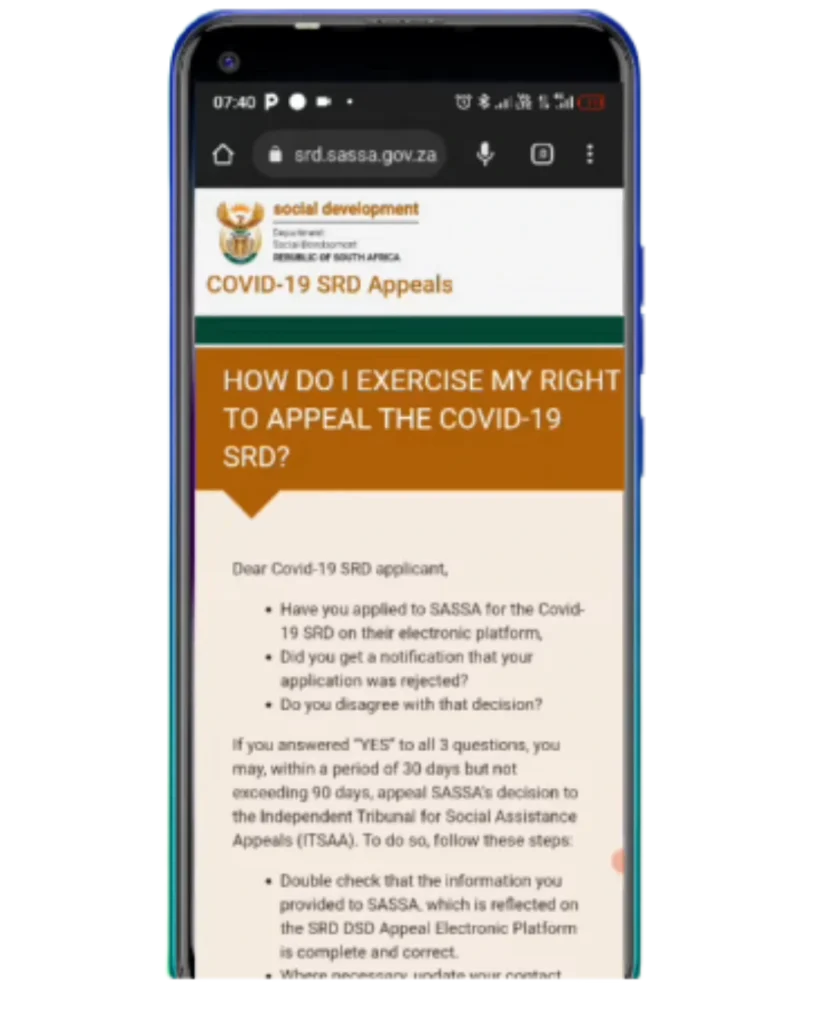
Tip: Clear your browser’s saved data first if the page loads slowly. Government websites in South Africa get very busy around payment dates.
Step 2: Enter Your ID Number and Mobile Number
Enter your 13-digit South African ID number and the exact mobile number you used when you first applied. These two details must match your original application exactly using a different number will block your access.
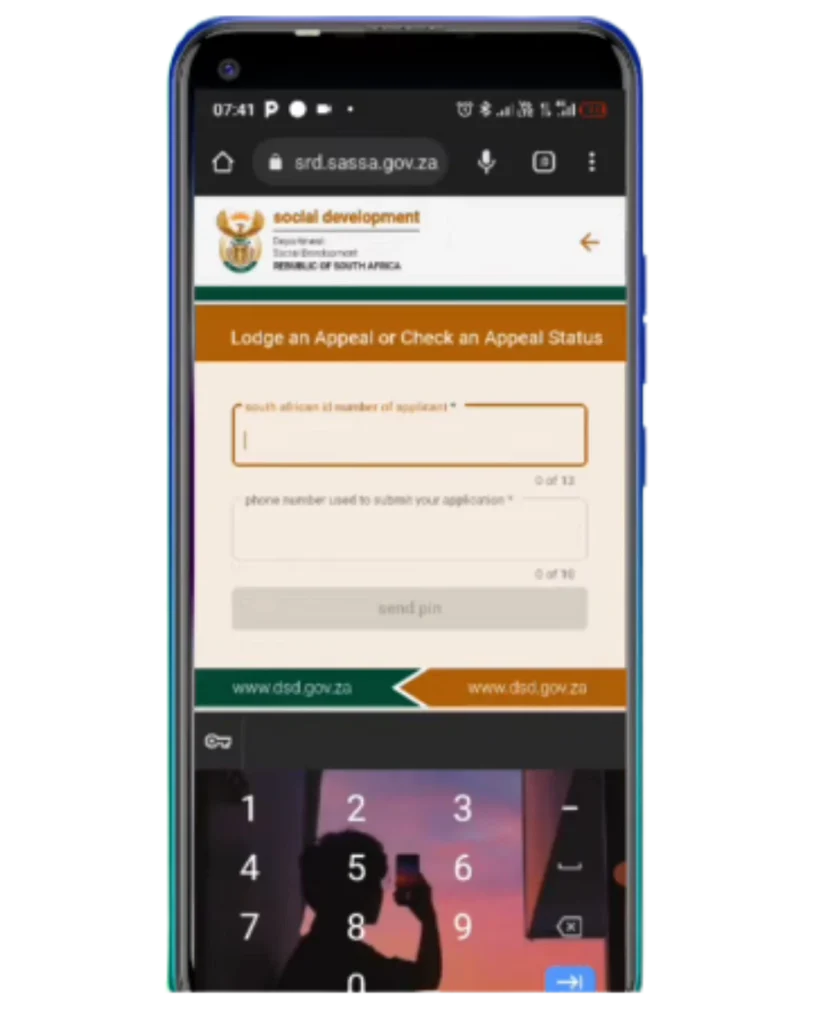
Note: If you no longer have access to your registered number, you need to update it on the website before you can continue with your appeal.
Step 3: Get and Enter Your Verification Code
Click “Send Pin.” A text message with a one-time code arrives within a minute or two. Type it in to confirm it’s really you.
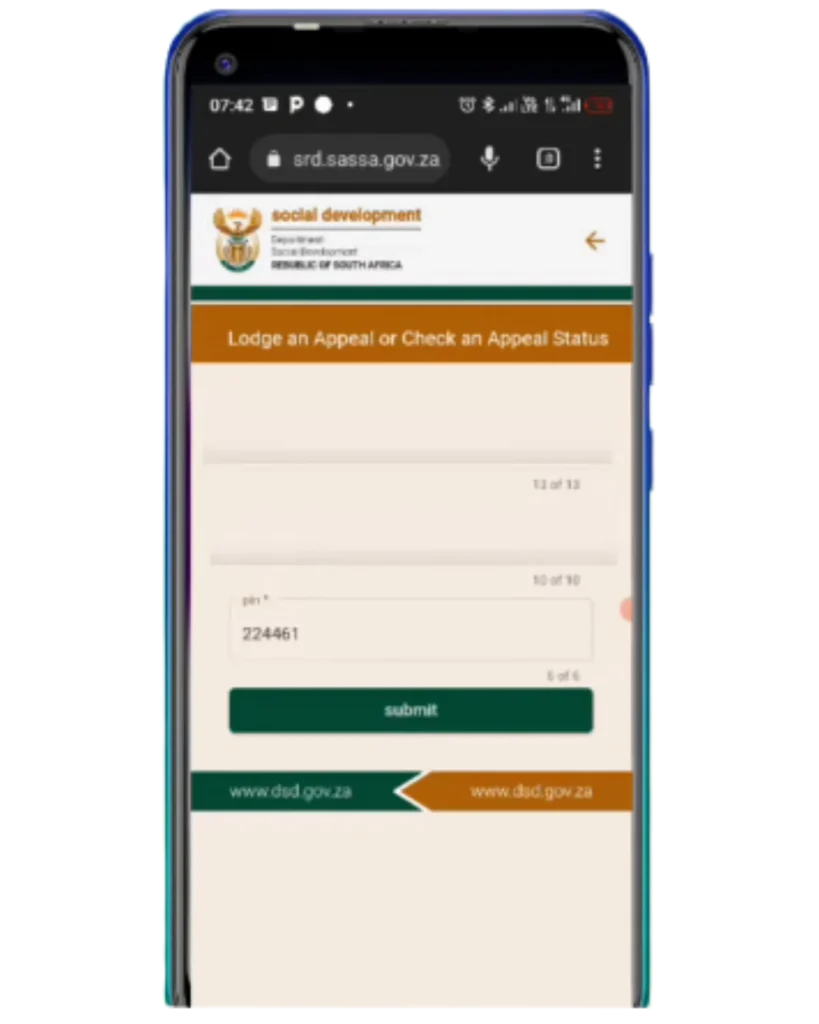
Tip: If the code doesn’t arrive within five minutes, check that your inbox isn’t full and that you have signal, then ask for a new code instead of trying the form repeatedly.
Step 4: Select the Declined Month
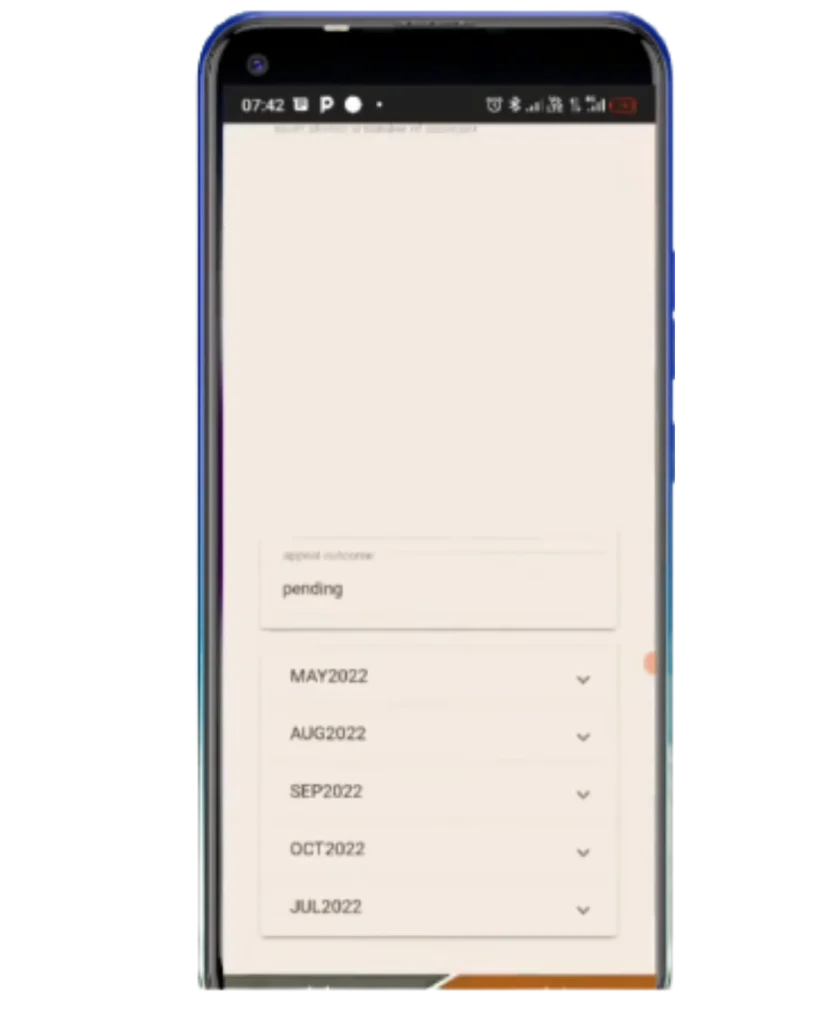
Choose the specific month you want to challenge. Each declined month needs its own appeal if three months were declined, you’ll go through this process three separate times. Start with the earliest month first, since some reasons carry over into later months.
Step 5: Choose the Matching Reason
This is where most appeals go wrong. Your reason for appealing must directly answer the specific decline reason shown for that month not your overall situation. Simply saying “I have no job” will almost always fail if the actual reason given was “other income found.” Address the exact flag, not how you feel about your situation.
Step 6: Upload Your Supporting Documents
Attach documents that clearly prove your point (see the section below for exactly what to attach for each decline reason). Files must be in PDF or JPEG format, easy to read, and not cut off or cropped.
Warning: Never share your ID document, banking PIN, or verification code with anyone offering to “speed up” your appeal for you SASSA never asks for payment or your PIN to process an appeal.
Step 7: Review and Submit
Check everything you’ve entered, confirm you agree to the declaration, and submit. Take a screenshot of the confirmation message and save your reference number right away this is your only proof that you submitted if anything goes wrong with the website later.
Step 8: Wait for the Decision
A decision usually takes 60 to 90 working days. You’ll get a text message once a decision has been made, and you can check your progress anytime on the website.
How to Check Your SASSA Status Check Appeal Online 2026
This is the fastest method. You only need your South African ID number and the cellphone number you used when you applied.
Step 1: Open the Official SRD Appeals Portal
Go to srd.sassa.gov.za/appeals on your phone or computer. Type the URL yourself do not click links from WhatsApp, SMS, or social media.
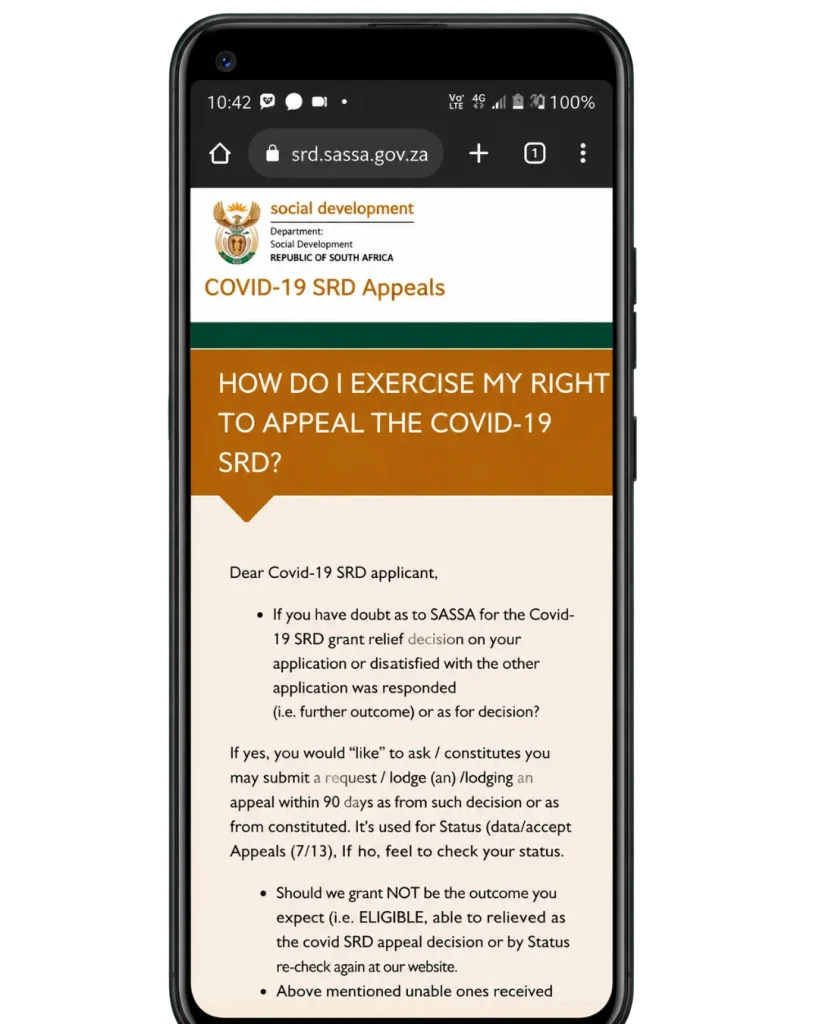
Scammers create fake portals that look identical to the real one.
Step 2: Enter Your ID Number
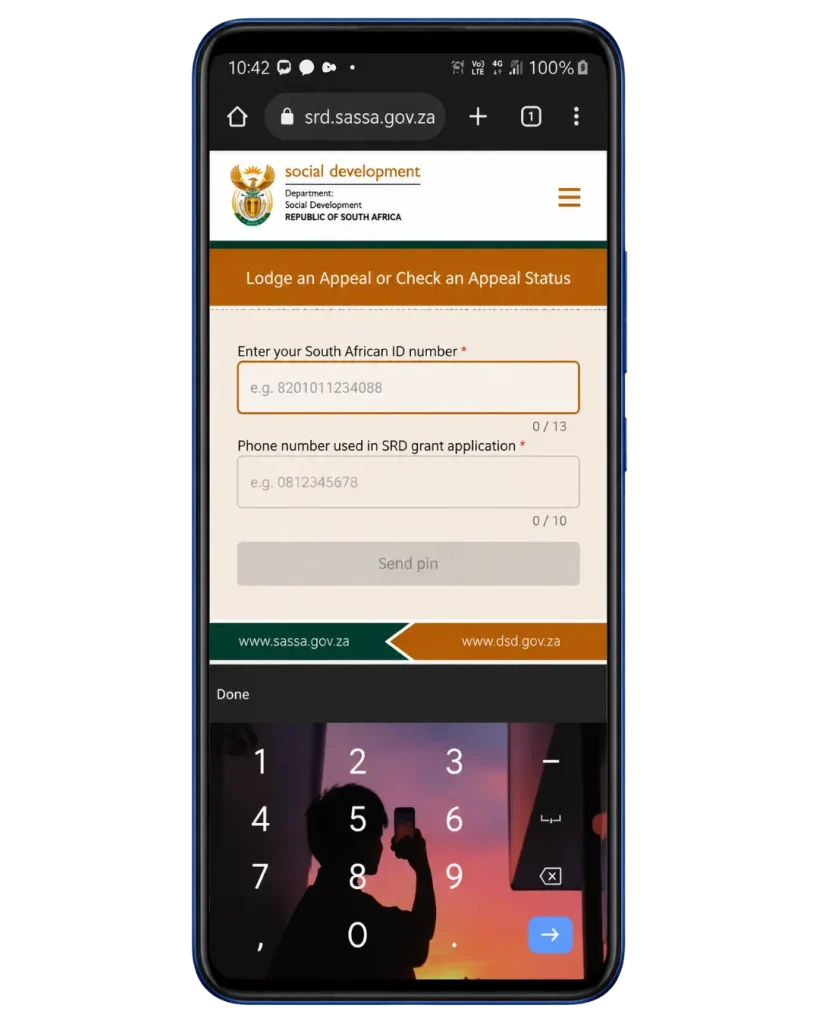
Enter your 13-digit ID number and registered phone number, then request your OTP. This OTP (one-time PIN) is sent to your cellphone via SMS.
Step 3: Enter the OTP
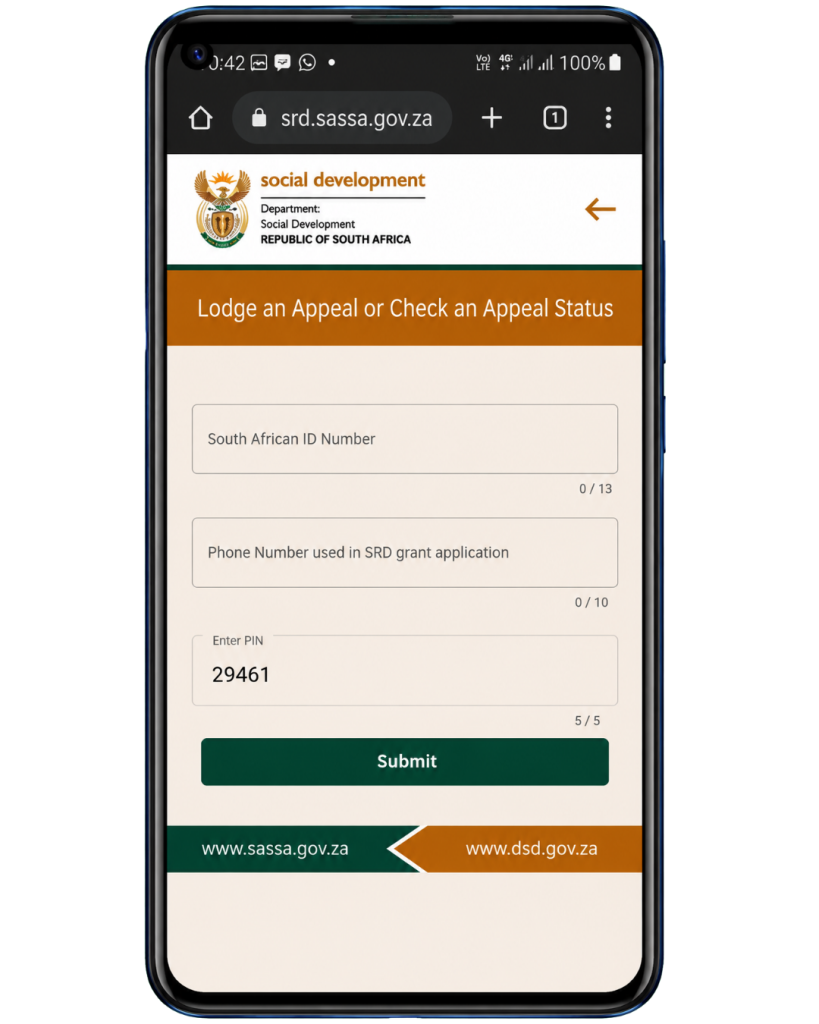
Type the PIN exactly as received. It expires quickly, so enter it immediately. If you do not receive the OTP, check that you are using the same number you registered with on your original SRD application.
Step 4: View Your Appeal Result
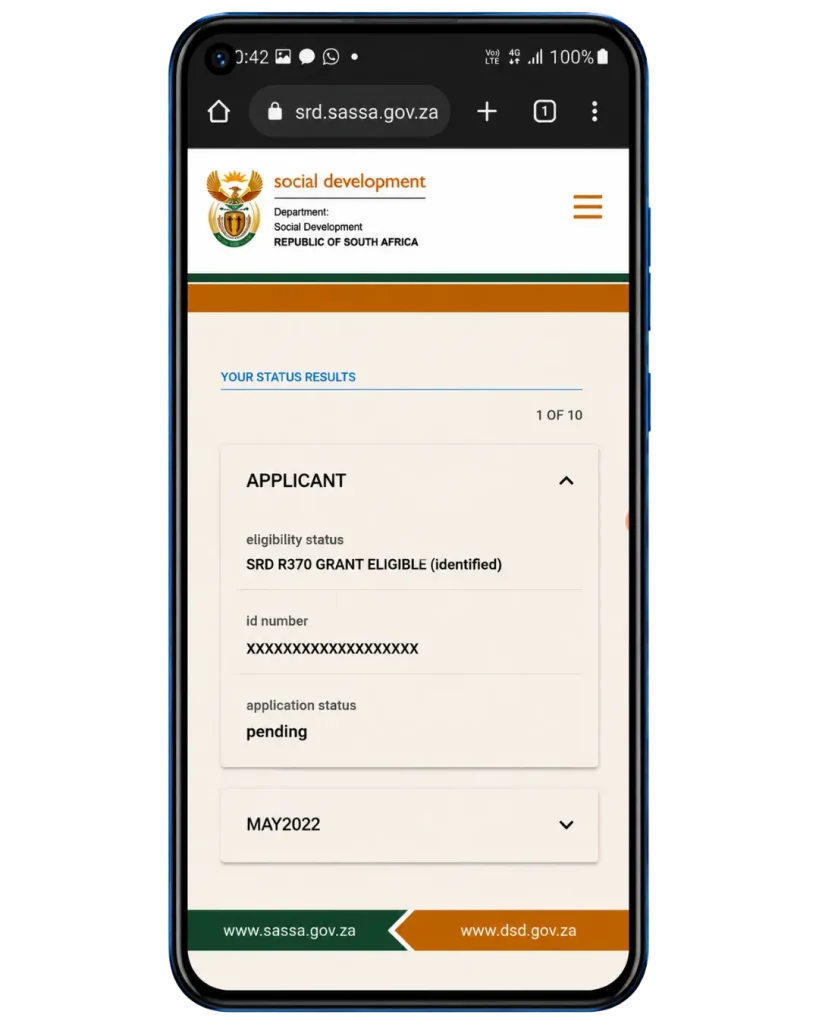
Once logged in, your appeal status for each month will be displayed. You will see one of three results Pending, Approved, or Declined.
Tip: Check your appeal status once a week not daily. Do not submit the same appeal again while it is still pending.
SASSA Appeal Online Infographics
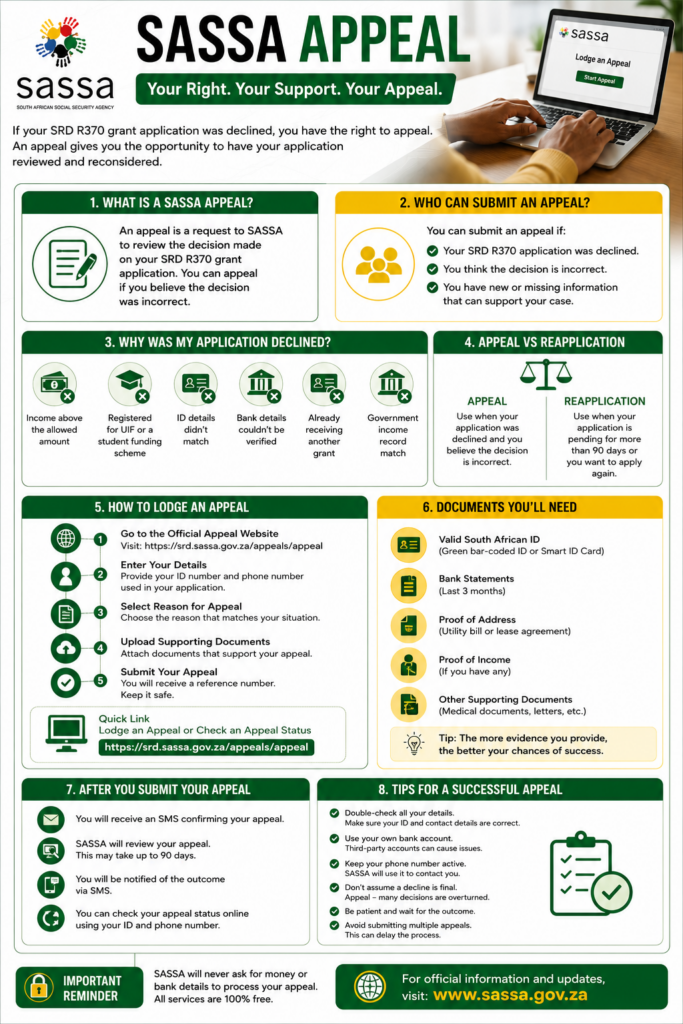
Matching Decline Reason to the Right SASSA Appeal Response
| Decline Reason | What It Means | What to Do About It |
| Other income found | A bank deposit above R624 was found in your account | Send your last 3 months of bank statements explaining the deposit wasn’t regular income |
| Registered for UIF | Records show you’re receiving unemployment insurance | Attach a letter showing your UIF status, or proof you’re not actually receiving payments |
| Registered student funding | You’re listed as a currently funded student | Attach proof your funding status has changed or ended |
| ID details didn’t match | Your ID information doesn’t match Home Affairs’ records | Upload a clear copy of your ID; fix the mismatch with Home Affairs first if needed |
| Already getting another grant | You already receive a different grant under this ID | This decline is usually correct — only appeal if it’s genuinely a mistake |
| Bank details couldn’t be verified | The linked account couldn’t be confirmed, or isn’t in your name | Update or re-verify your banking details before appealing |
| Government income record match | Your ID appears on a government payroll or income record | Attach a letter proving that record is outdated or wrong |
Documents You’ll Need For appeal Sassa srd, By Decline Reason
Every document should be current, easy to read, and directly connected to the reason shown on your status page. Attaching documents that don’t relate to your specific reason won’t help your case and can slow things down.
What to Do Before You Submit
Log into the SRD website and read the exact wording of your decline before appealing. Appealing without knowing the reason rarely works.
A mismatched name, surname, or ID number between your appeal and your original application can block the submission entirely.
Doing one doesn’t cancel your right to do the other, but mixing them up wastes a submission.
There’s no way to group several declined months into one appeal each one is looked at separately.
Time Limits to Submit an SASSA appeal
You have 90 days from the date of your decline to submit an appeal through the official website. Both a Reconsideration and a formal Appeal give you 90 days from your decline date see the “SASSA Reconsideration vs Appeal” section above if you’re unsure which one to submit first. Don’t wait until close to the deadline, since the website gets busier as deadlines approach.
Some sources mention a shorter 30-day window for certain grant types, so the safest thing to do is check the exact deadline shown on your own status page rather than assume and don’t wait until the last few days, since the website gets much busier as deadlines get closer.
Appeals sent in after the deadline are not accepted, and there’s currently no official rule that extends the deadline if the website is down. If technical problems are stopping you from submitting close to your deadline, keep proof of your attempt (screenshots, timestamps) and visit a SASSA office in person to have it recorded.
Alternative Methods Of SASSA Appeal 2026
Log into srd.sassa.gov.za with your ID number and registered phone number, then select Check Appeal Status.
Send a message to the official SASSA WhatsApp number with your name and application ID to get an update.
Dial the SASSA USSD code from any phone no internet or smartphone needed, which helps if you have limited data.
SASSA sends automatic text updates to your registered number whenever your appeal status changes.
Check your status through SASSA’s official app if you have it, using the same ID and phone number.
Call the free helpline on 0800 60 10 11 and ask an agent to check your appeal status using your ID and phone number.
Email your supporting documents to SASSA’s SRD appeals address, quoting your ID number and appeal reference number in the subject line. Keep the sent confirmation as proof in case of any dispute later.
What Each SASSA Appeal Status Means
If Your SASSA Appeal Is Rejected
Your appeal has been received and is waiting to be reviewed. No action needed on your part; the review just hasn’t started or finished yet.
Your following month’s application is checked on its own, so a rejected appeal for one month doesn’t affect future months.
A final decision has been made on your appeal. Log into the website to see whether it was approved or declined.
Call 0800 110 110 for free help if you believe there was a genuine mistake in how your case was reviewed.
Your appeal was successful. Your grant for that month is reinstated, and payment is usually made within a few weeks, backdated to your original application date.
This organization offers free help specifically for social grant problems and can guide you on whether taking things further is worth it.
The original decision was upheld. This result is final for that specific month, though you still have other options (see the next section).
South African law allows you to ask a court to review the decision within 180 days of the outcome. This is a formal legal step, and it’s best to get support from Legal Aid or a grants-focused support organization before going this route.
If the Sassa Appeal Website Won’t Load
Government websites in South Africa often have access problems, especially around payment dates and the start of each new month. Try these steps in order:
If the website is genuinely down and your deadline is close, your best options are to visit a SASSA office in person and ask for your attempt to be recorded, or contact the review panel directly to report the problem and ask what to do. Keep proof of everything — screenshots, timestamps, and reference numbers since there’s no automatic extension for technical problems.
Avoiding SASSA Appeal Scams
Submitting a SASSA appeal is completely free. Watch out for:
SASSA will never ask for payment, your banking PIN, or your verification code by SMS, phone, or social media. If you think you’ve been targeted by a scam, or notice your registered phone number was changed without you doing it, call 0800 60 10 11 right away to freeze your account.
Tips for a Stronger SASSA Appeal SRD
Respond to the specific reason you were declined, not your overall situation this is the biggest factor between a successful appeal and a rejected one.
If an income flag came from a specific transaction, try to avoid a similar pattern in the months ahead.
Blurry or cut-off uploads are one of the most common reasons appeals get turned down for reasons that have nothing to do with your actual case.
Sending in the same appeal more than once doesn’t speed anything up it only adds confusion and can cause delays.
Don’t leave it until the last few days. Technical problems on government websites happen often, and there’s no guaranteed extra time.
Your verification code, text updates, and appeal result all go to the number linked to your original application.
Take a screenshot of your confirmation message right after submitting it’s your only proof if you need to follow up later.
Use an appeal for a specific past decision you believe was wrong. Use a fresh application when your situation has actually changed.

Thabo Nkosi (Founder, Social Security Advisor and Content Writer)
Thabo Nkosi is a social security advisor and writer specializing in South African SASSA grants and appeals procedures. He was born and raised in South Africa and has spent over a decade helping individuals and families navigate the South African social welfare system.
His experience as a social security advisor gave him in-depth knowledge of the SASSA grant system, the procedures before SASSA, the Department of Social Development, and everything related to the SASSA Appeal Tribunal and the Unique Beneficiary Reference Number.
Frequently Asked Questions
Final Thoughts
A declined SRD grant is stressful, especially when the reason feels wrong or unclear but the Sassa appeal Status process exists exactly for cases like this, and a well-matched, well-documented appeal has a real chance of succeeding. The biggest factor in a successful appeal is being precise: know your exact decline reason, respond to it directly with the right proof, and submit through the official website well before your deadline. If your appeal doesn’t succeed, you still have real options through Legal Aid, Black Sash, and your next monthly application.